 00:00
00:00
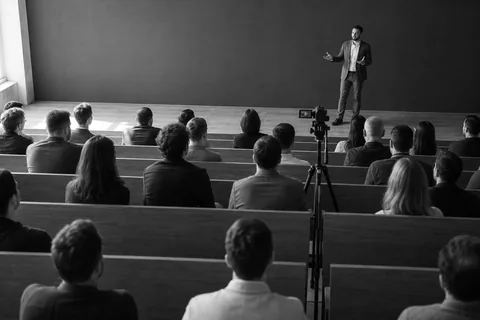 02:14
04:52
08:07
02:14
04:52
08:07
ai quiz generator from video
AI Quiz Generator and Quiz Maker That Turns Any Video Into a Quiz
Paste a YouTube link (a lecture, course, training or webinar) and get a multiple choice quiz with answers, explanations and timestamps in about a minute, ready to edit, share, or export to Google Forms and your LMS.
Make a quiz from a video, right here
one free run, no account needed
One free run, no account. This preview reads the first 10 minutes and writes 4 multiple-choice questions.
What happens when you press generate
VidQuiz reads the recording itself and writes 4 multiple-choice questions from it, each with the correct answer, a one-line explanation and the moment in the video it came from. It is the same engine paying customers use, running on your input right now.
free demo: 3 quizzes, one time, no card needed
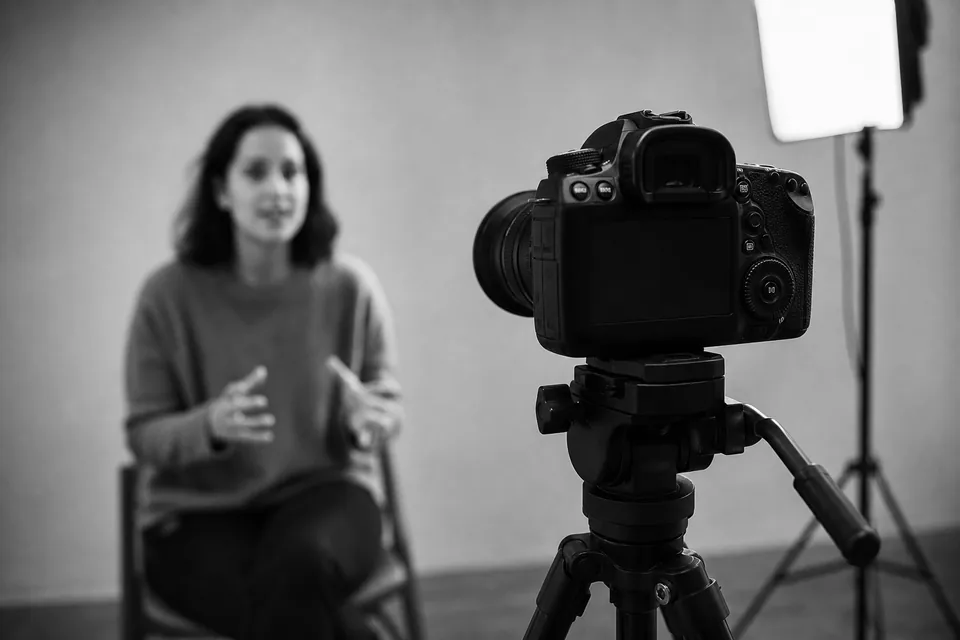 rec 12:31
- reads
- YouTube links directly; Vimeo, MP4, uploads and recordings from a pasted transcript
- writes
- Multiple choice, true/false and short answer, each with an explanation
- exports
- Google Forms, PDF, CSV, QTI, GIFT, Blackboard
- built for
- Educators, course creators & L&D teams
why vidquiz
One link in, a ready quiz out
Turning a video into a quiz used to mean rewatching at 2x and writing questions by hand. VidQuiz reads the video and writes clear multiple-choice questions with answers, so you can share, edit, or take the quiz about a minute later.
training_module_03.mp4
Where does the presenter place the single light for a talking head recording?
Why: a light set to one side and in front shapes the face without flattening it.
Save hours every week
Stop scrubbing through footage and writing questions by hand. Paste a link and get a full multiple-choice quiz about a minute later, ready to share or edit.
Boost retention with testing
Active recall is one of the most proven ways to make learning stick. A quick quiz after a video turns passive watch time into knowledge people keep.
YouTube links, or any video with a transcript
Paste a YouTube link and VidQuiz watches the video itself. For anything else (Vimeo, an MP4, a screen recording, a course module) paste the transcript alongside it and you get the same quiz. VidQuiz has no speech-to-text of its own, so the words have to come from the link or from you.
Answers and explanations
Every question comes with the correct answer and a short explanation, so learners understand the why, not just the what.
Share or take instantly
Send a link and anyone can take the quiz in the browser, or export it to your LMS. You stay in control and can edit any question first.
Every question is editable
Nothing is published until you say so. Review the draft, rewrite a stem, drop a question you do not want, then share.
how it works
How to make a quiz from a video, step by step
Paste the link, let VidQuiz read it and write the questions, then take, edit, or share the quiz. No transcribing, no manual question writing.
-
00:00
Paste
Drop in the video link
A YouTube link is read by VidQuiz itself. For a Vimeo link, an MP4, a course module, webinar or screen recording, paste that video's transcript instead.
-
00:04
Read
VidQuiz works through the whole video
It watches the recording from start to finish and writes down what was said, in order, then picks out the points worth testing. What it keeps is a close account of the video, not a word-for-word transcript.
-
00:12
Write
Questions come back with answers
Multiple choice, true/false and short answer, each with the correct answer marked and a one-line explanation of why it is right.
-
00:20
Ship
Share a link or export it
Send a link anyone can take in the browser with no account, or export to Google Forms, PDF, CSV, QTI, GIFT or Blackboard for your LMS.
what vidquiz is for
Three ways a video turns into a quiz
Assigned lectures in the classroom
Assign a YouTube lecture or documentary, paste the same link into VidQuiz, and you have a comprehension quiz to check who actually watched it. Questions are tied to timestamps, so a wrong answer points back to the exact moment in the video to rewatch.
End-of-module checks in a course
Generate a quiz from each lesson video so a module can close with a knowledge check instead of ending on the last frame. Share it as a link that learners open in the browser without an account, or export it into the LMS you already run.
Recorded training and webinars
Turn a recorded onboarding session, compliance briefing, or product webinar into a knowledge check without booking an instructional designer to write questions for every session. One recording, one link, a quiz you can reuse for the next intake.
You stay in control of every quiz and can edit any question before you share it.
pricing
Worth it the first time you skip writing questions by hand
Plans for solo educators, course creators and training teams. Try the Quiz Studio above for free, then pick a plan to make quizzes from your own videos. Prices in USD.
Starter
$24/mo
billed annually, $288 a year
billed monthly, $49 a month
For solo educators and prosumers
40 videos a month, up to 60 minutes each, all question types, shareable links.
Creator
most popular$49/mo
billed annually, $588 a year
billed monthly, $99 a month
For course creators
150 videos a month, up to 2 hours each, 3 people on one plan, learner results with Excel and PDF report, export to Google Forms, PDF, CSV, QTI, GIFT and Blackboard.
Team
$99/mo
billed annually, $1,188 a year
billed monthly, $199 a month
For L&D and training teams
600 videos a month, up to 2 hours each, 25 people sharing one library, learner results with pass mark, Excel and PDF report, full LMS export.
See every plan, limits and the Enterprise option on the pricing page.
VidQuiz watches the whole video and writes down what was said, in order, then pulls the points that matter into clear multiple-choice questions with answers and short explanations. That written account is a close paraphrase rather than a word-for-word transcript. You can edit any question before you share it, so you are always in control of the final quiz.
Paste a YouTube link and VidQuiz watches the video itself, with no transcript, captions or download needed. For a Vimeo link, an MP4, an uploaded course module, webinar, lecture or screen recording, paste that video’s transcript and VidQuiz writes the questions from it.
About a minute. A twenty-minute YouTube video took VidQuiz 63 seconds end to end: 52 seconds to read the video, 11 to write the questions. A pasted transcript is quicker still.
No. Share a link and anyone can take the quiz in the browser. You can also export to your LMS.
Your videos and quizzes are yours. We only process the content to generate your quiz, and we never sell or share it.
Turn watch time into learning.
Any video in, a ready interactive quiz out. Make your first quiz from your own video in seconds.
any video source / questions with answers / share or export